
← a microphone for singing, at home or on stage
Is the Blue Yeti Good for Singing? (Fix These Three Things)
The Blue Yeti is fine for singing at the hobby level, and most bad Yeti recordings are three free setup fixes away: sing into the logo side, get close, and set it to cardioid.
 Gus Harmon · Updated July 8, 2026 · how I decide
If you buy through my links the site earns a little. It's never why I pick things.
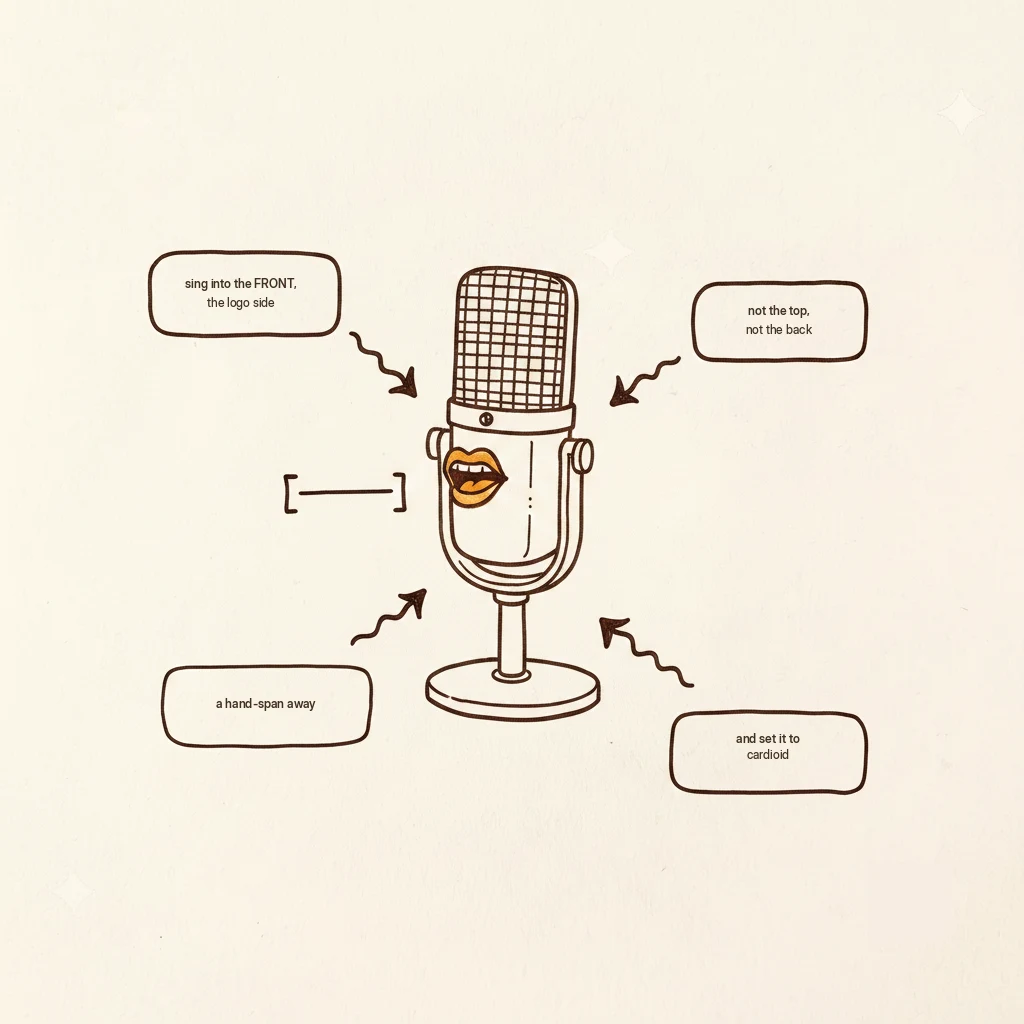
The Blue Yeti is fine for singing at the hobby or YouTube level, and most bad Yeti recordings are setup problems, not mic problems. The three free fixes: sing into the side with the logo (it’s side-address, not top), get it within a hand-span of your mouth, and set it to cardioid with the gain low. Do those and it jumps a class.
You already own the Yeti. It came for podcasts, or streaming, or the year everyone was on video calls, and now you want to sing into it, and “is it good for singing” really means “can I skip buying another one.” Good news: probably yes. Most of what makes a Yeti sound bad on vocals is how it’s set up, not the mic itself. Let’s fix the free things before you spend a dime.
The honest verdict, from someone who knows these mics well: the Yeti is fine for its audience, but “widely misused.” People treat it as a top-address mic and leave it on that little desk stand in a bad spot. The mic is okay. The setup is usually wrong. Here are the three fixes.
Fix 1: Sing into the side, not the top
This is the number-one silent mistake. The Yeti is side-address, meaning it hears from the side, not the top. Sing into the face with the logo on it, the way you’d talk across a table to it, not down into the top like a hot dog. Half the “my Yeti sounds thin and far away” complaints vanish the second people turn to sing into the correct side.
Fix 2: Get close
That cute desk stand it came with parks the mic low and far from your mouth, which is exactly where it sounds worst. Get it within a hand-span of your mouth, roughly six inches. The cheapest way is a boom arm (about $20 to $30) that swings it up to your face, but honestly a stack of books to raise it works for free tonight. Close and level with your mouth. That’s the whole trick.
Fix 3: Set it to cardioid, gain low
The Yeti has a little dial of pickup patterns on the back. For singing you want cardioid, the setting that listens to the front and mostly ignores the sides and back, so it hears you and not the room. Turn the gain (the sensitivity knob) down low, so your voice doesn’t distort.
And remember: the Yeti is a condenser, the sensitive kind. So the room rule is in full effect, if you can hear your house, it’ll hear your house too. A quiet room and a soft corner do as much as any setting.
A boom arm and a pop filter. About $20 for a kit with the arm, the filter, and a shock mount. The arm gets the mic off the desk and up to your mouth (fix 2, made permanent), and the pop filter tames the “p” and “b” pops. Together they do more for your sound than a new mic would.
Flaws, said plainly: these help the Yeti be its best self, they don’t make it an XLR studio mic. That ceiling is real, see below.
The honest ceiling
If you’re recording songs you actually want to release, there is a real step up: an XLR mic like the AT2020 plus an interface (around $210 together). That’s the genuine next tier, and I won’t pretend otherwise. But here’s the order of operations that matters: do the three free fixes and record one honest take first. Most people discover the Yeti was fine all along and the setup was the problem. Fix the free things, then decide.
Microphones capture sound through a part called the capsule, and how that capsule is mounted decides which direction it “faces.” In a handheld mic like an SM58, the capsule points out the top, so you sing into the top, that’s end-address. In the Yeti, the capsules are mounted vertically inside the body facing out the flat sides, so the live, sensitive face is the side with the logo, that’s side-address. Sing into the top of a Yeti and you’re singing into the edge of the capsule, off-axis, where it’s quieter and duller, which is exactly why it sounds thin and distant. Turn ninety degrees and sing into the logo, and suddenly you’re on-axis, full and present. Same mic, same everything, just aimed right.
Logo side, hand-span away, cardioid, gain low. Sing one take and listen back. Then, and only then, tell me you need a new microphone. Most of the time you won’t.
If you buy through my links the site earns a little coffee money. Doesn’t change the price, doesn’t change my answer.
If you’re figuring this out, you’re probably also wondering:
Gus Harmon
Gus spent three decades running sound wherever somebody needed it: bar bands, weddings, school shows, and twelve years of Sunday mornings. He can't sing a note. He can make sure you're heard. Now he writes so normal people can buy the right thing the first time.